Our Custom List Icon extension enhances the standard Gutenberg List block by allowing you to replace the default bullet style with your own uploaded icon (PNG/SVG).
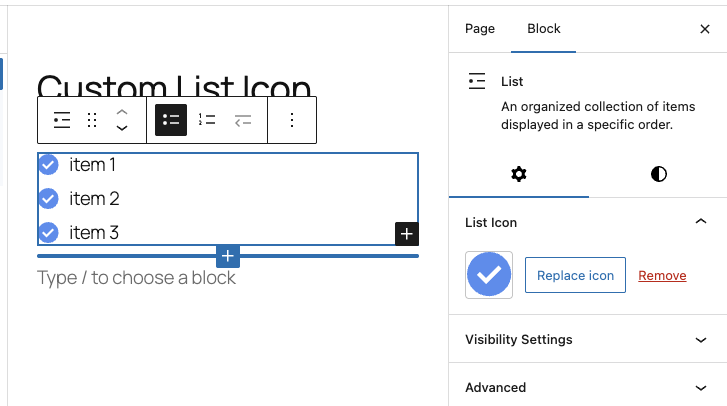
Once an icon is applied, all list items inside that specific List block will display the chosen icon automatically — both in the editor and on the frontend.
This is especially useful for:
- Feature lists
- Pricing features
- Checklists
- Custom branding
- Icons that match your design system
How to Use the Custom List Icon
Follow these simple steps:
1. Insert a Standard List Block
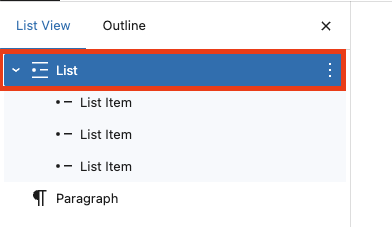
2. Select the Parent List Block
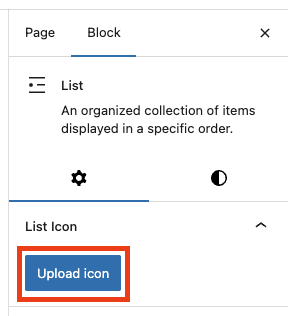
3. Upload Your Custom Icon
4. Done
Leave a Reply