Our Highlight Format extension enhances the existing Gutenberg Highlight (background-color) feature by letting you add:
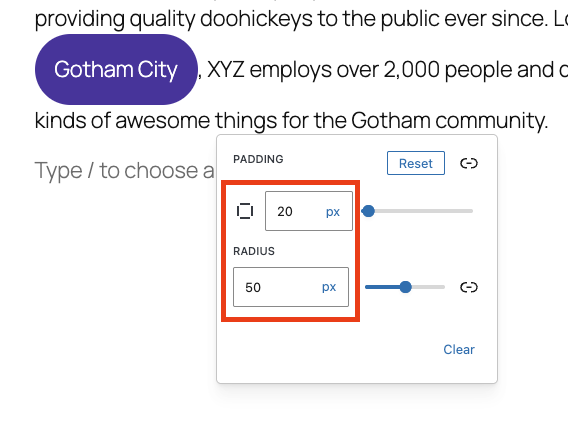
- Padding around highlighted text
- Border radius for rounded highlight shapes
- Support for different units (px, em, %, …)
- Independent values for each side (top / right / bottom / left)
This lets you create more visually appealing highlights, such as pill-shaped markers, rounded labels, or emphasized badges inside text content—all using standard RichText formatting.
How to Use Highlight Format
Highlight Some Text
1. Select a word or phrase inside a Paragraph block
2. Open the More menu (⌵) in the inline toolbar
3. Choose Highlight
4. Pick any highlight background color
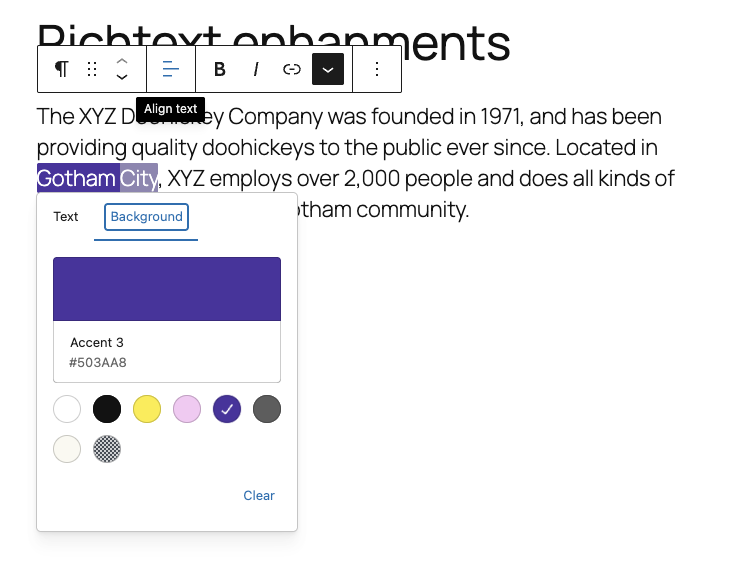
Highlight Some Text
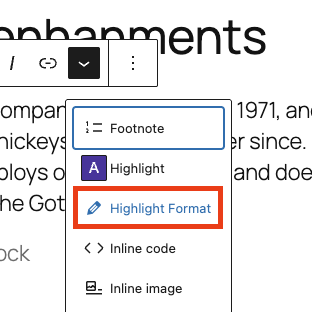
1. Select the same highlighted text
2. Open the More menu (⌵) again
3. Click Highlight Format
4. Adjust Padding and or Border Radius
Leave a Reply